What it adds
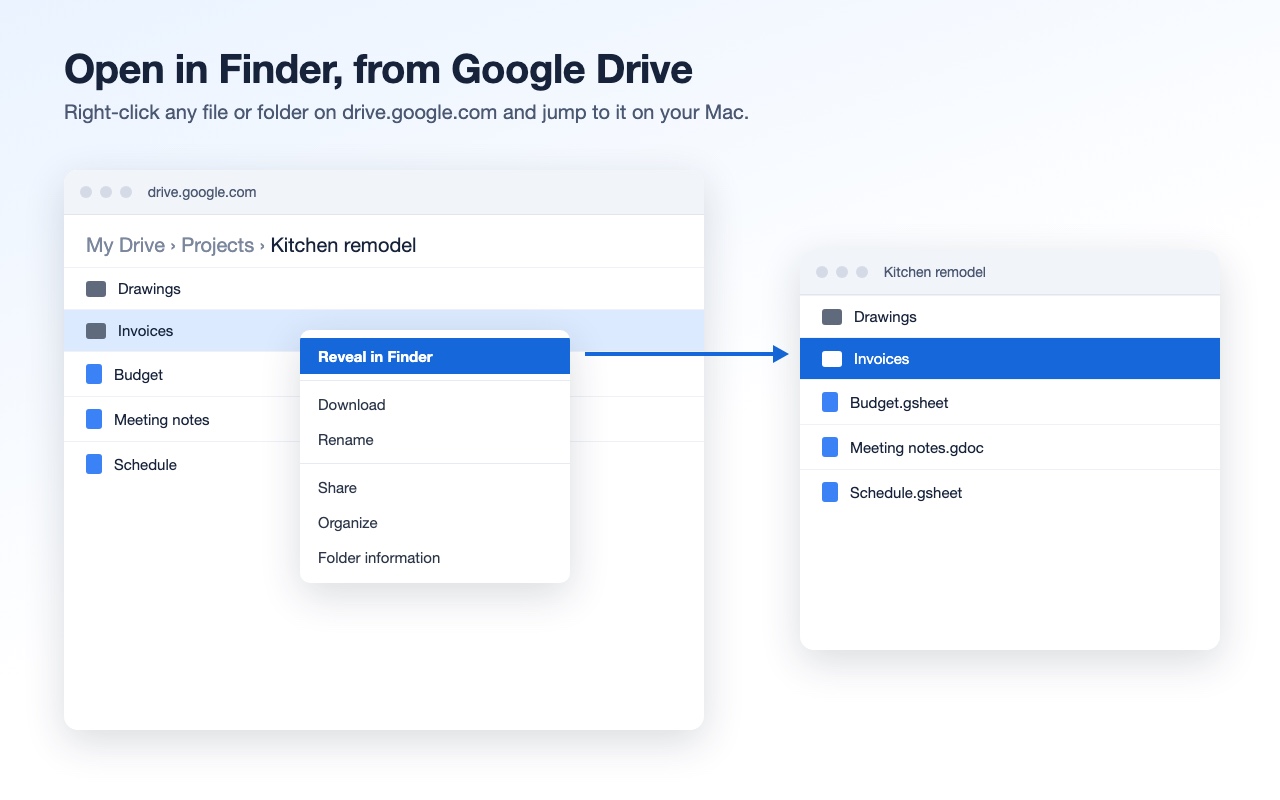
Reveal in Finder
Right-click any file or folder in Drive, or use its three-dot menu. Finder opens with that item selected.
Open folder in Finder
Right-click empty space in a folder, or open the folder's name menu at the top of the page. Finder opens that folder.
Button and shortcut
The toolbar button or ⌥ ⇧ F does the same, including for the Google Doc, Sheet or Slides file you have open.
What you need
- A Mac with Google Drive for Desktop installed, running, and signed in to the same Google account as your Drive tab.
- Google Chrome.
- Google's own Application Launcher for Drive extension, enabled. Drive for Desktop adds it to Chrome for you, but Chrome keeps it switched off until you approve it at
chrome://extensions.
Questions
It says it cannot reach Google Drive for Desktop.
Open chrome://extensions in the same Chrome profile and switch on "Application Launcher for Drive (by Google)". Then check that Google Drive for Desktop is running.
It says the item is not on this Mac.
Drive for Desktop only knows about items in My Drive and your shared drives. Something that is only in "Shared with me" has no place in Finder until you add a shortcut to it in My Drive.
Why does "Open folder" highlight a file inside it?
Drive for Desktop can show an item in its folder, but cannot open a folder directly. To land you inside the folder, the extension shows the first item in it.
What does it do with my data?
Nothing leaves your computer. The extension passes the item you chose to Google Drive for Desktop on your Mac and makes no network requests of its own. See the privacy policy.
Can a Google Workspace admin install it for everyone?
Yes. Once it is on the Chrome Web Store, an admin can force-install it, together with Google's launcher, from the Admin console under Devices > Chrome > Apps & extensions.